-
Overview of the Categories
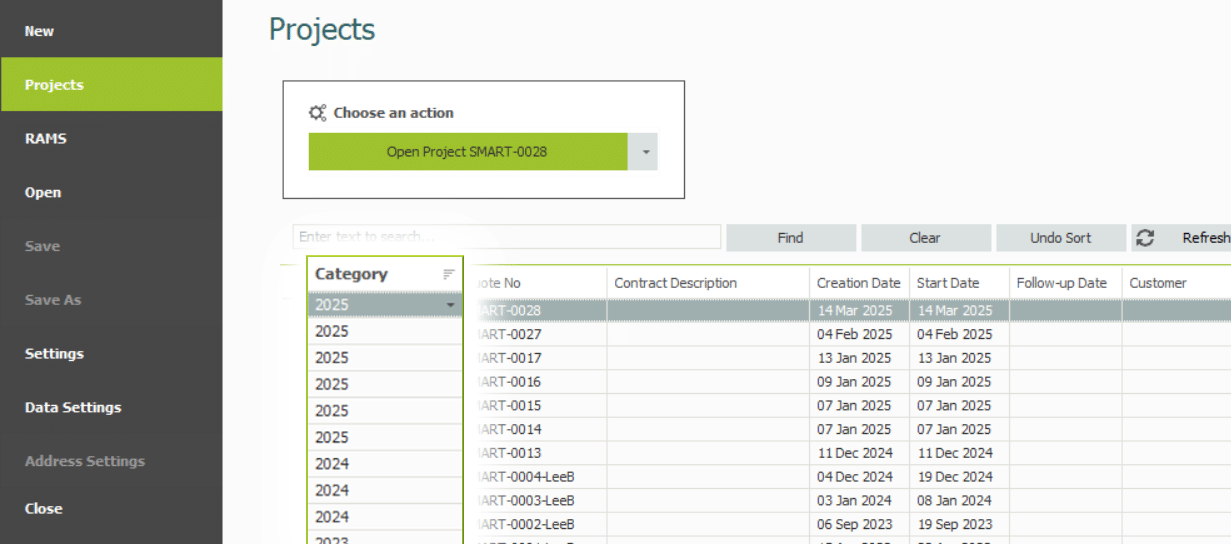
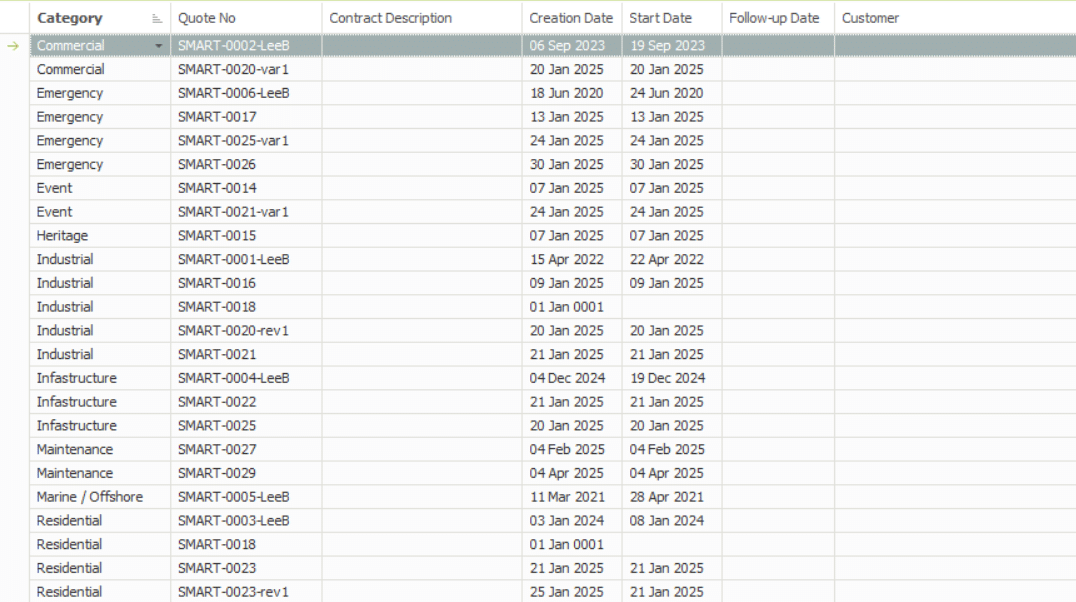
Categories on the Enterprise Server serve as a filter for estimation projects. This allows you to organise and manage your enterprise server according to certain criteria, such as Estimators, Contract Type or by Year.
From the SMART Estimator Home Page, click on the Projects Tab to access the Enterprise Server. On the left-hand side of the Enterprise Server, you’ll see a Category column.
-
Creating a Category
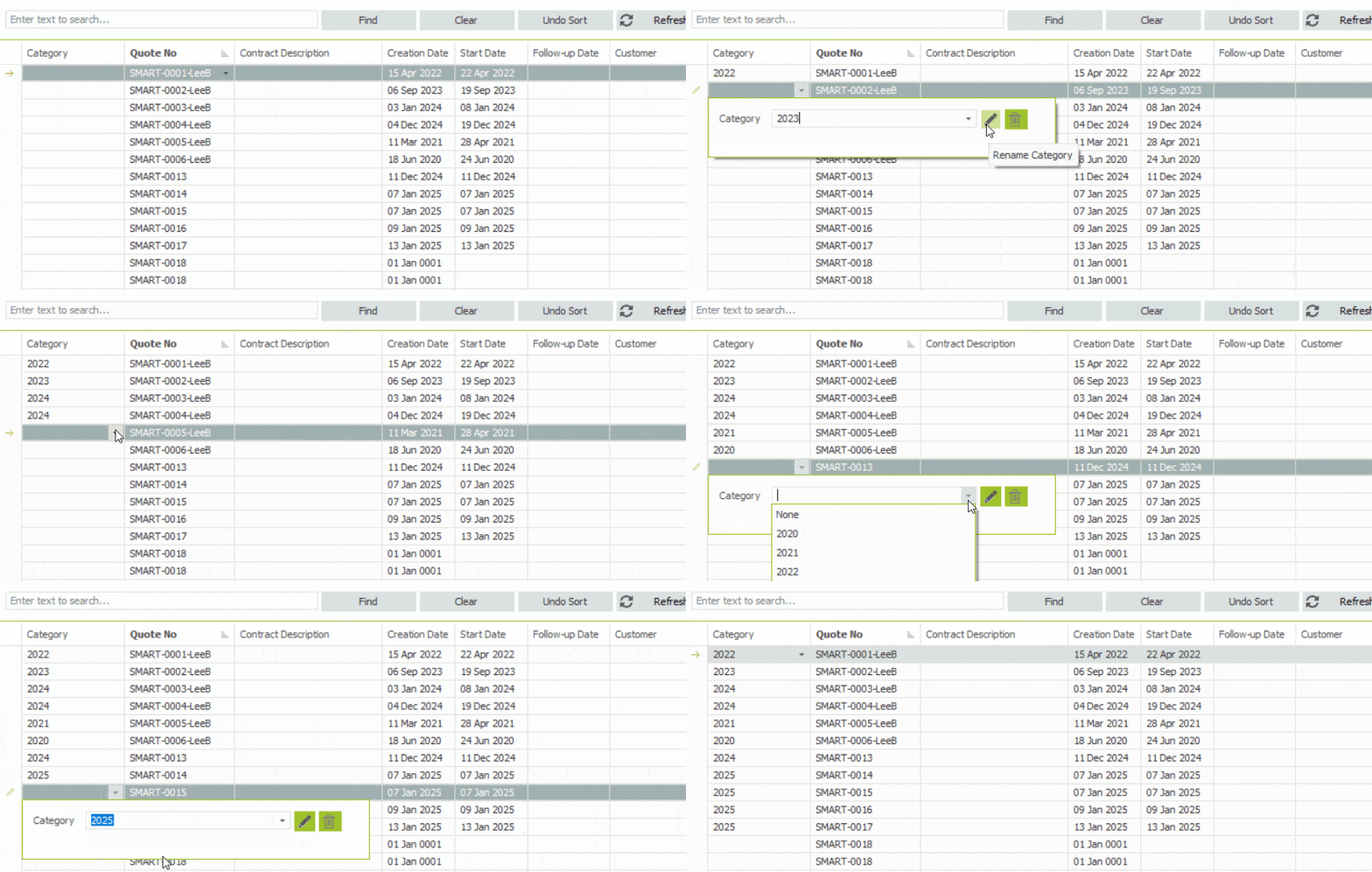
To create your own category, select one of the cells in the Categories column. Then, simply type in the text box on what you want the category to be named as. Once you click outside of that box, a new category will be created within the Enterprise Server.
You can then set other project items as the sames project by clicking on the dropdown button on the to the right side of the category cell.
Empty Categories will be Automatically Deleted
When a category does not contain a project estimation, it is automatically deleted from the Enterprise Server. A category must contain at least one project estimation in order to remain active; otherwise, it will be deleted.
-
Renaming a Category
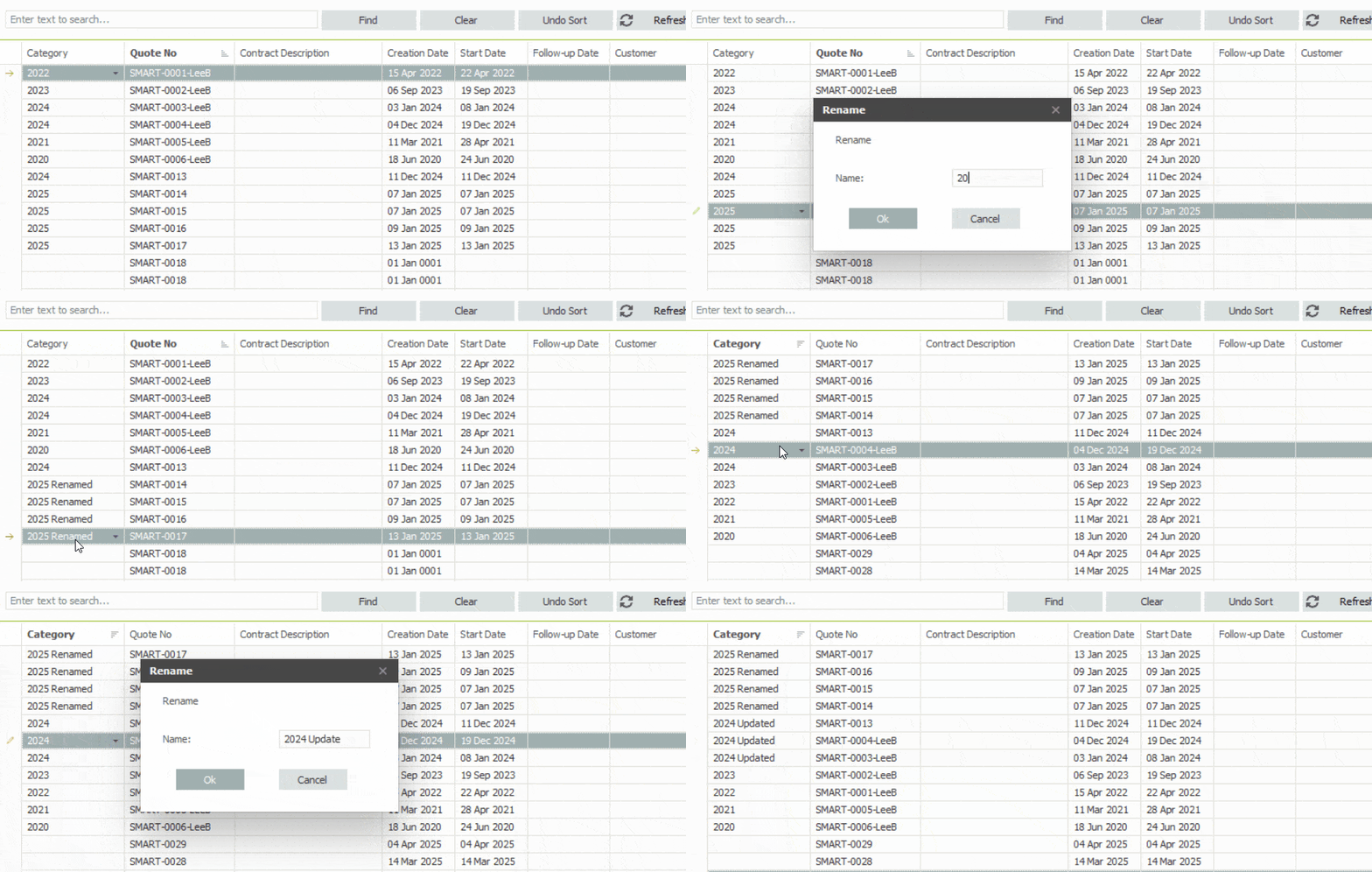
To rename a category, click on the cell that is set with category you wish to rename. Afterward, click on the Green Pencil button to open the Rename Category dialog. Within this Dialog, type the new name for the category and press OK or hit the Enter key to update it.
Automatic Sorting of Categories
The categories are automatically sorted alphabetically and numerically, the same as how projects are organised within each category. After being renamed, the category is likely to have been sorted and moved to another location on the Enterprise Server.
-
Deleting a Category
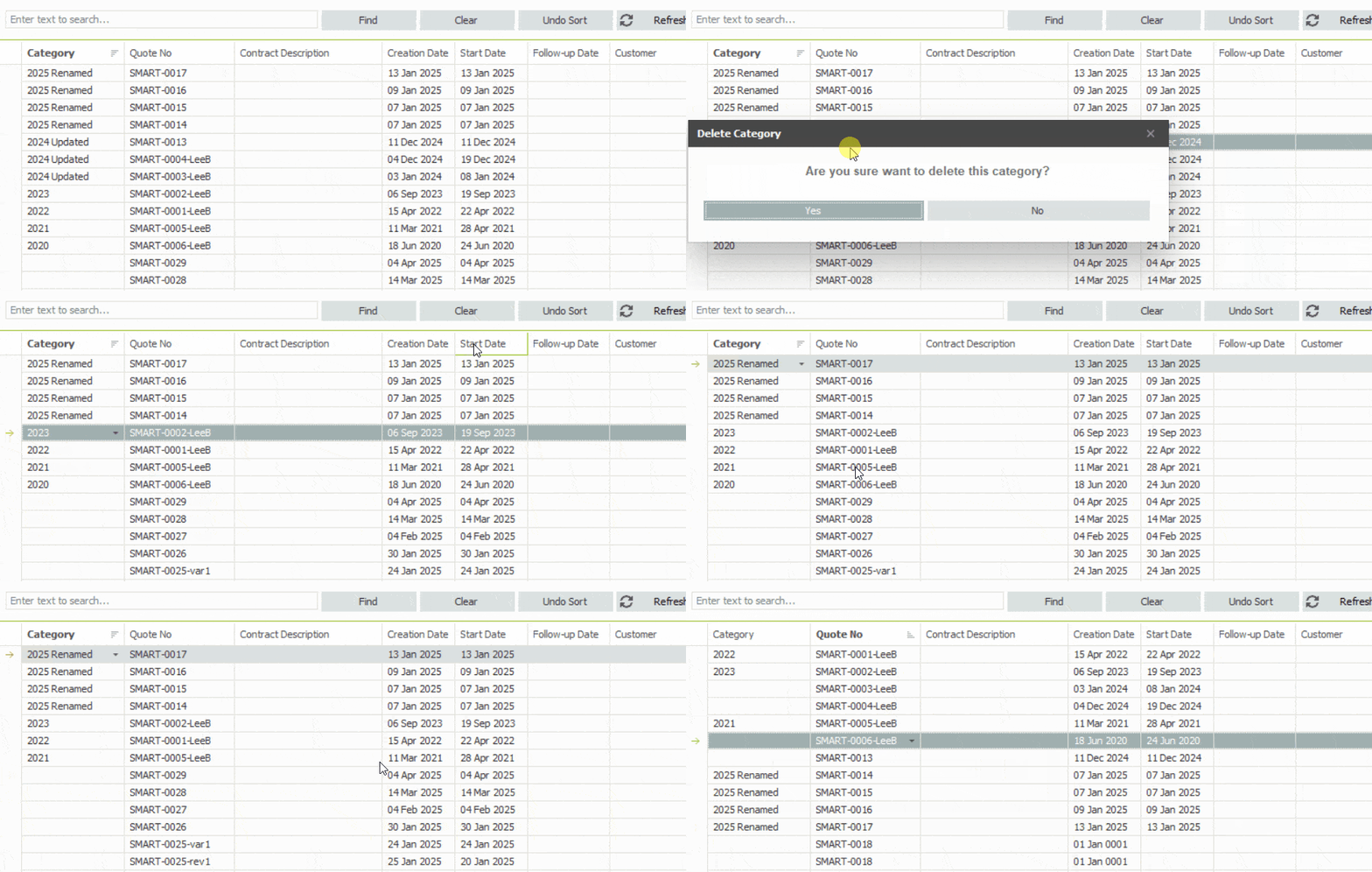
To delete a category, start by clicking on the cell with a category you wish to delete. Then, click on the Green Bin button to open the Delete Category prompt. Simply click Yes and the category will be deleted from the Enterprise Server.
Projects within the Category will not be deleted
When a category is deleted, the projects contained within it will not be removed. Instead the projects will be Uncategorisesd becoming blank and unfiltered in the Enterprise Server.
-
Organising your Projects
Now that you know how to use the Categories. If you want to organise the enterprise server, begin by creating several categories to suit your needs and then assigning the project items with those Categories. You can set up your categories in many ways, such as the Estimator who’s working on the project, the Contract Type of the project or by the Year the project was created.
SMART Estimator
What’s new?
Getting Started
Setup and Configuration
-
Enterprise Server
-
Cloud Server Setup
Local Windows Server Setup
Adding Cloud server users
Server Back Up and Restore
Archiving Estimates from server
Migrating Local server to Cloud
Creating Folders in Enterprise Server
Using Server Tools from the Command Line
-
User software settings
User Address Settings and Yard
Scaffold Banner and Sheeting logo
Adding Watermarks
-
Setting up your Rates
Editing Shared Pricing Rates
Creating a rate setting template project
Importing and Exporting shared Rates
Creating an Estimate
Importing Drawings and Models
Scheduling Scaffolds
Creating 3D Scaffolds
-
3D Model Controls
Adding Independent scaffolds
Adding Circular Tank scaffolds
Adding Free Form Birdcages
Adding Birdcage & Lift shaft scaffolds
Adding Tied or Freestanding towers
Adding Stair towers, Ladders towers & Buttresses
Adding Loading bays
Adding Chimney scaffolds
Adding Temporary Roof
Adding Edge protection
Adding Pavement Gantry’s
System Scaffolds
Safety Decking
Using the Scaffold Library
Editing Scaffolds
Scaffold Add-ons & Options
-
Adding Gin wheels, Rubbish Chutes, Safety standards, Double standards and Lamps
Adding and Editing bridges/beam work
Adding Beams around Corners
Adding Cladding
Adding Cantilever protection fans
Adding Pavement Lifts
Adding Recesses and Infills
Building and Ground colour
Visual options (Tube, Ladder, System details and Grips)
Add a Pedestrian or Scaffolder
Copying pictures of the model
Material Lists and Drawings
Pricing and Estimation
Quotations
Enterprise Server
Troubleshooting